Pins that respect your data
Code pins are read on demand. Data pins (.csv, .parquet,
.dta, .xlsx…) inject a generated schema card — columns,
types, sample rows — never the contents. Folder pins inject a size-annotated tree.
Central Planner is a local dashboard for research projects. Each task launches a real Claude coding session, and the rest of the working loop is built around it: a live console that narrates whole agent teams, HTML and PDF artifact viewers, a genuine LaTeX environment with live recompile, change history with one-click rewind, and a ledger that knows where the week went.
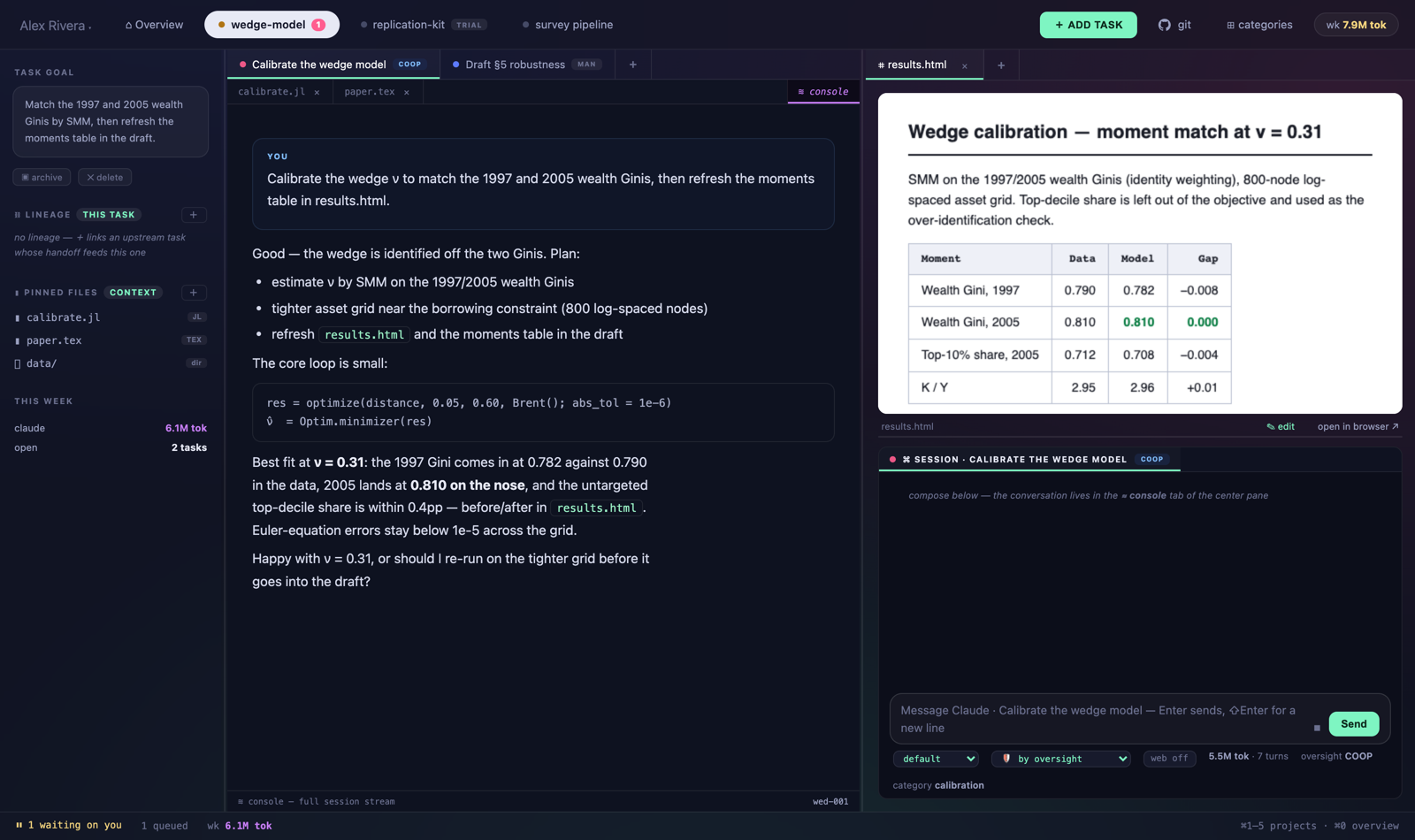
Tasks are organized by project and category. Each launch assembles a context packet — the project’s living abstract, a category primer, upstream handoffs, pinned files — and streams the session into the console. When a task finishes, it proposes a structured handoff; accept it and downstream tasks inherit the summary, artifacts, and decisions as context. Oversight is a per-task dial:
Runs to completion. Come back to a handoff proposal.
Plan first. Nothing executes until you approve it.
Turn by turn — the conversation you see in these shots.
No agent at all. Some tasks are just yours.
The console narrates everything a turn does — including the subagents
it fans out. Each ◆ agent announces what it was asked, streams live
summaries of what it’s doing with tool and token counts, and reports back
✓ done. A running ✎ ledger tallies the turn’s file edits as
they land. And when the session starts a long Julia, R, or Python job, a live job
card rides the stream: elapsed, %CPU, memory, and a ⊘ stop that
terminates the real process tree.
Detached runs (nohup, trailing &) keep
their card after the turn ends — it lives until the process itself exits. Scripts you
launch yourself with ▶ get honest progress bars: parsed iteration counters, ETAs, and
an amber quiet-clock when a run has printed nothing lately.
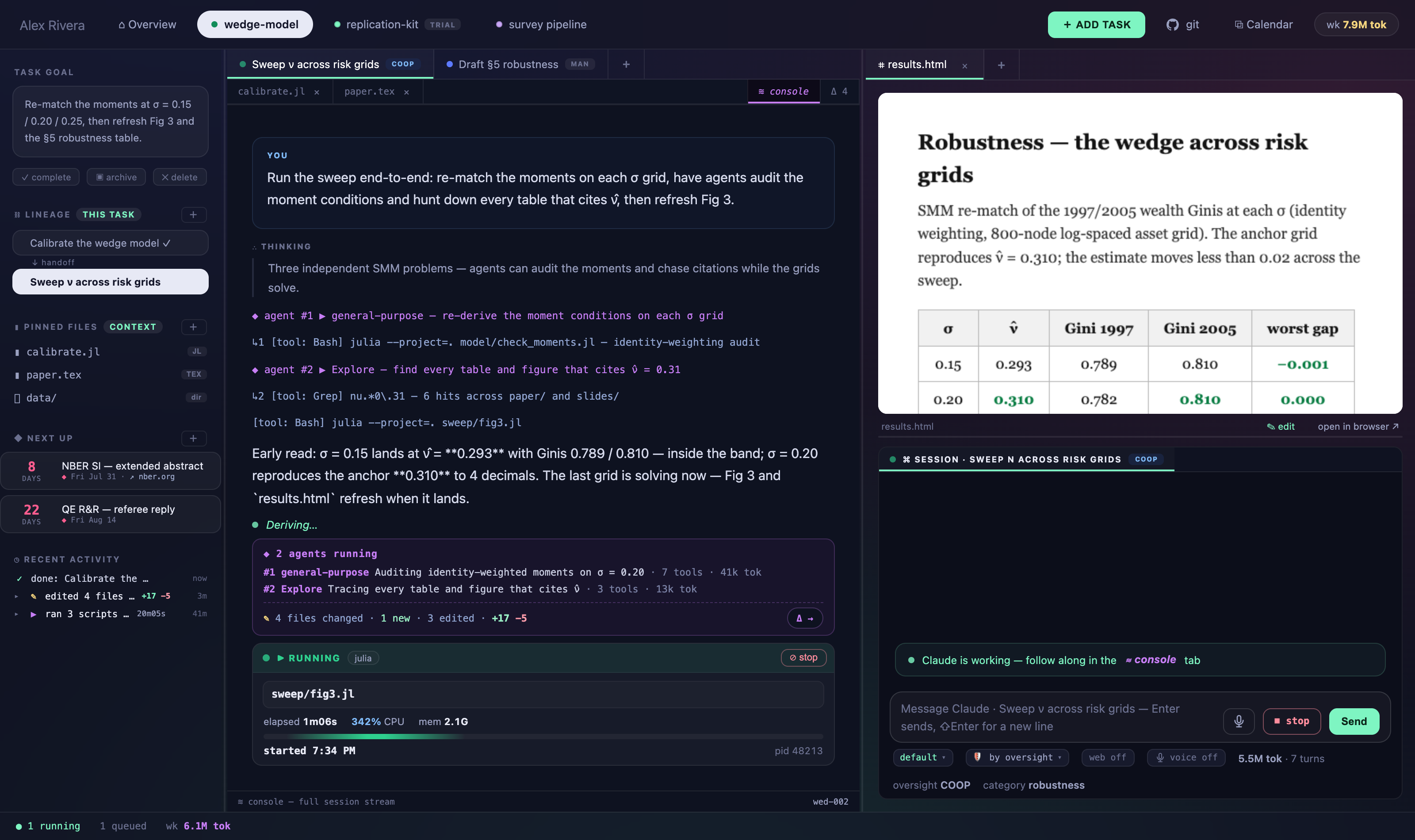
sweep/fig3.jl at 342% CPU with a stop button that means it.
Lineage, deadlines, and the activity feed keep the sidebar honest.Pin a .tex and it opens with math-aware highlighting; watch it
and latexmk -pvc recompiles on every save into an in-app PDF pane that
keeps your scroll and zoom, swapping pages only when their fresh pixels are ready.
SyncTeX works both ways — double-click the PDF to jump to the source line,
⌘J to flash your line in the PDF. Completions cover \cite keys from your
.bib files, \labels across the whole project, environments with
auto-\end, and command skeletons. Compile errors land in a strip under the
editor with the offending lines tinted — click to jump.
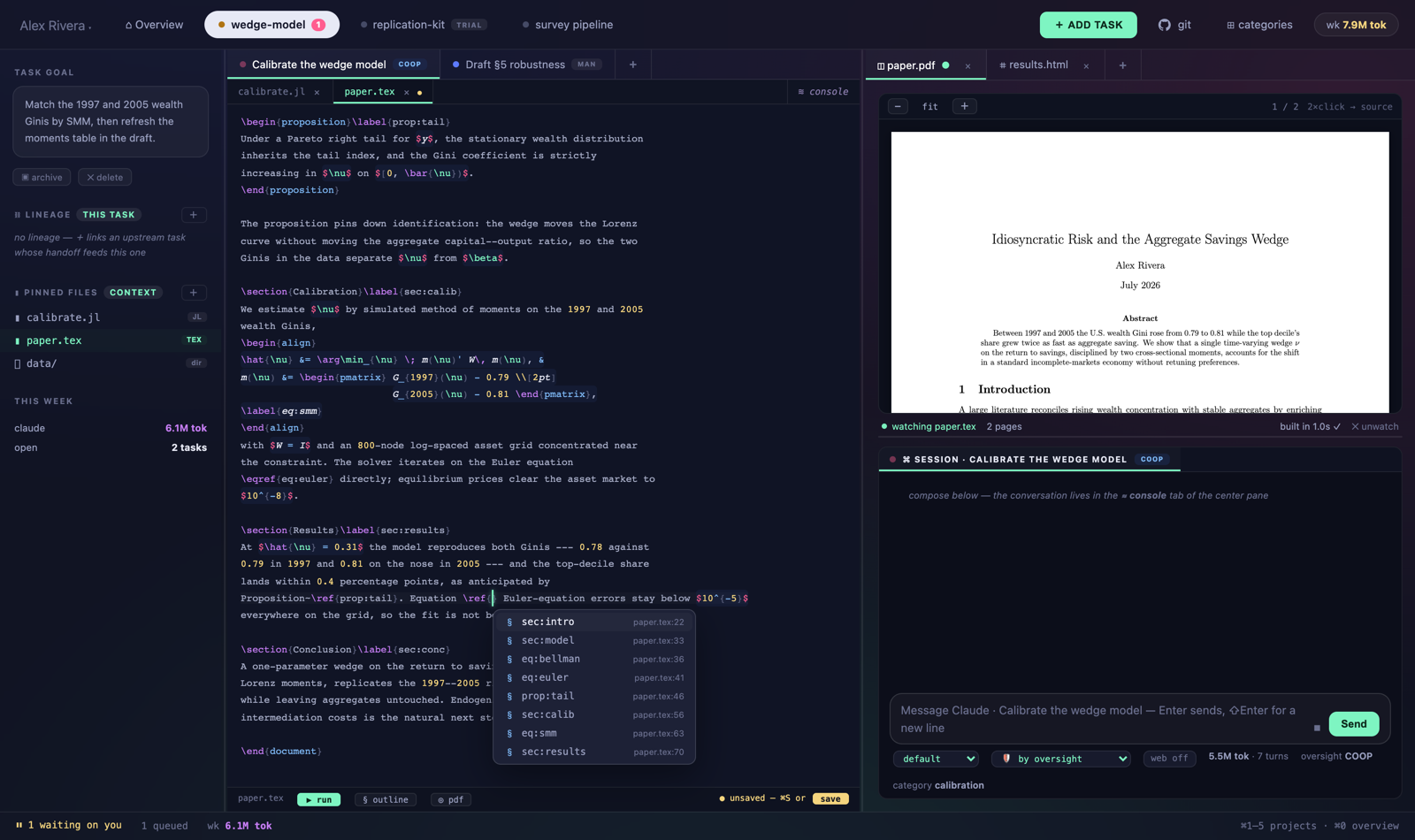
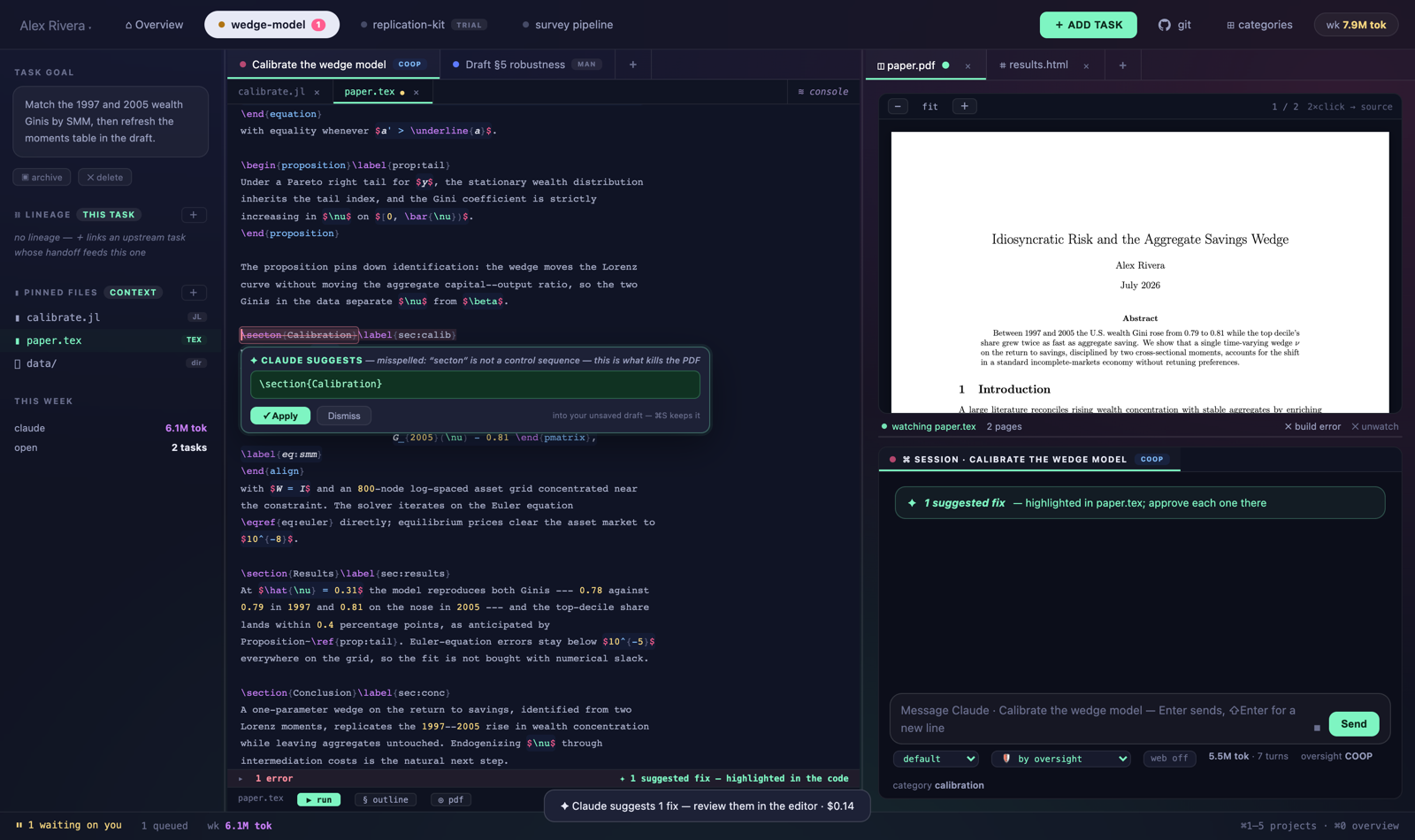
\ref completion popup listing every label in the project.When a compile failure kills the PDF, one click sends a sandboxed read-only Claude session to study the failure. Suggestions highlight in place: the offending text struck through, a pane right below it with the complete replacement and the reason — Apply or Dismiss where you’re already reading. Applying patches your unsaved draft, so you can keep typing the whole time and nothing on disk changes until you save. A suggestion you’ve already fixed yourself quietly retires.
The Δ tab lists each turn’s files grouped by folder — verb, edit count,
±lines — with a per-file ⟲ rewind. Click a file and it opens as a full
inline unified diff: removals struck red, additions washed green, long unchanged runs
folded into a clickable row, an edit k/M stepper to hop between hunks.
Rewinds are themselves recorded, so they can be undone. Edits to granted
external files are tracked too.
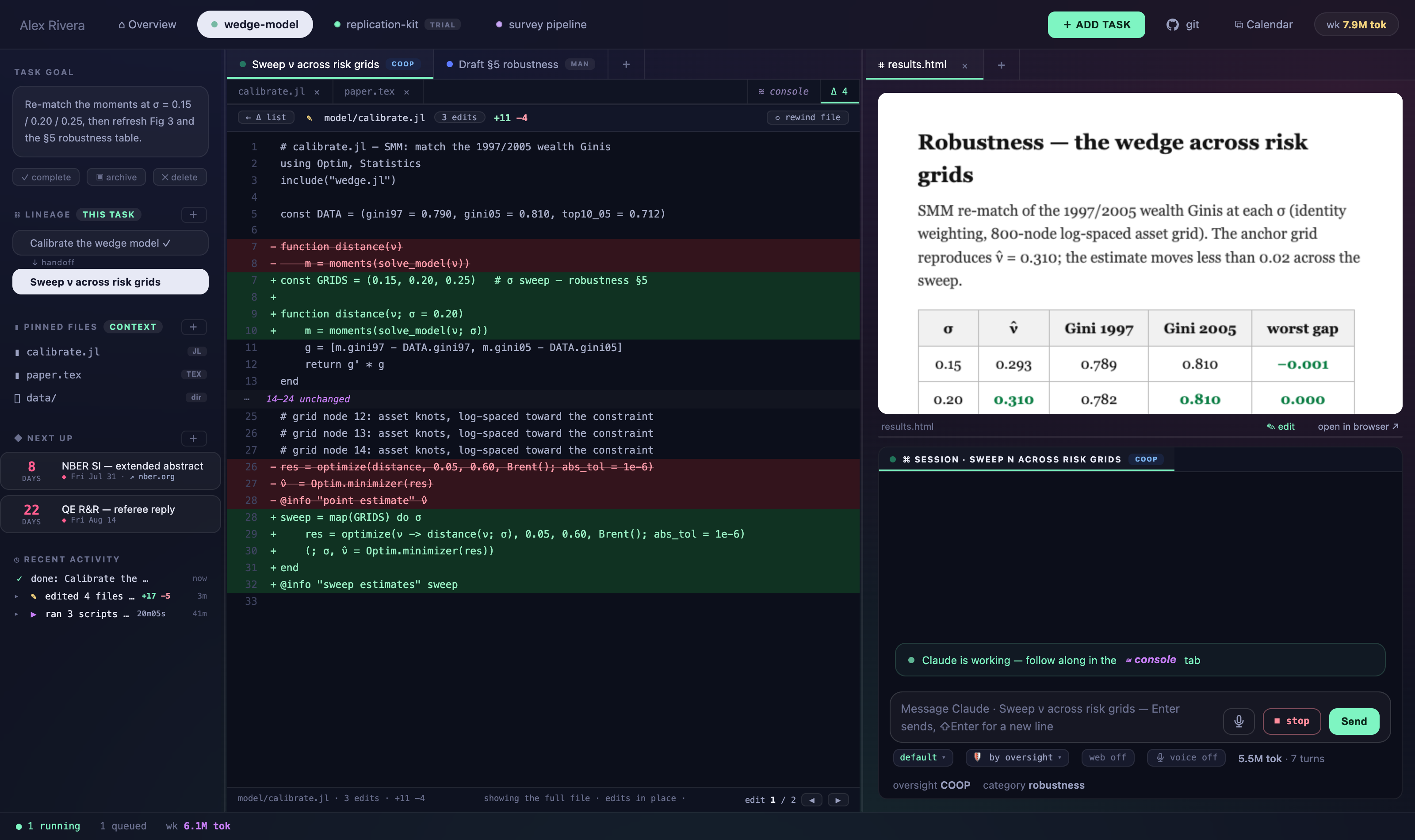
calibrate.jl, line by line —
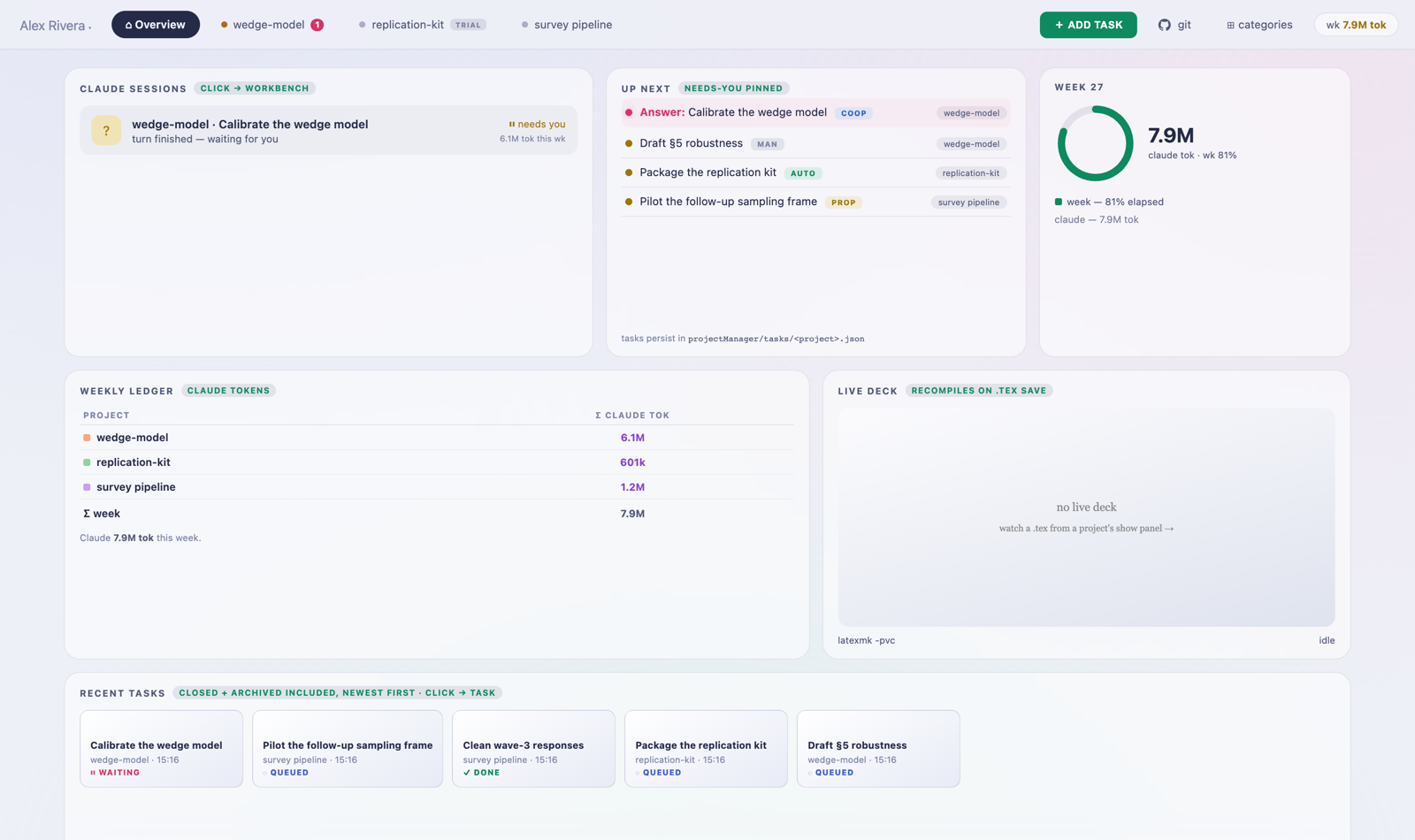
and the one-click path back if you disagree.The home screen shows live sessions, what’s waiting on you, the week’s Claude tokens per project against your targets, and the freshest live-compiled deck. Underneath it all is an append-only plain-JSONL ledger of your seconds and Claude’s tokens — readable with your own tools, no export step. Light and dark themes, switchable in Settings or following the OS.
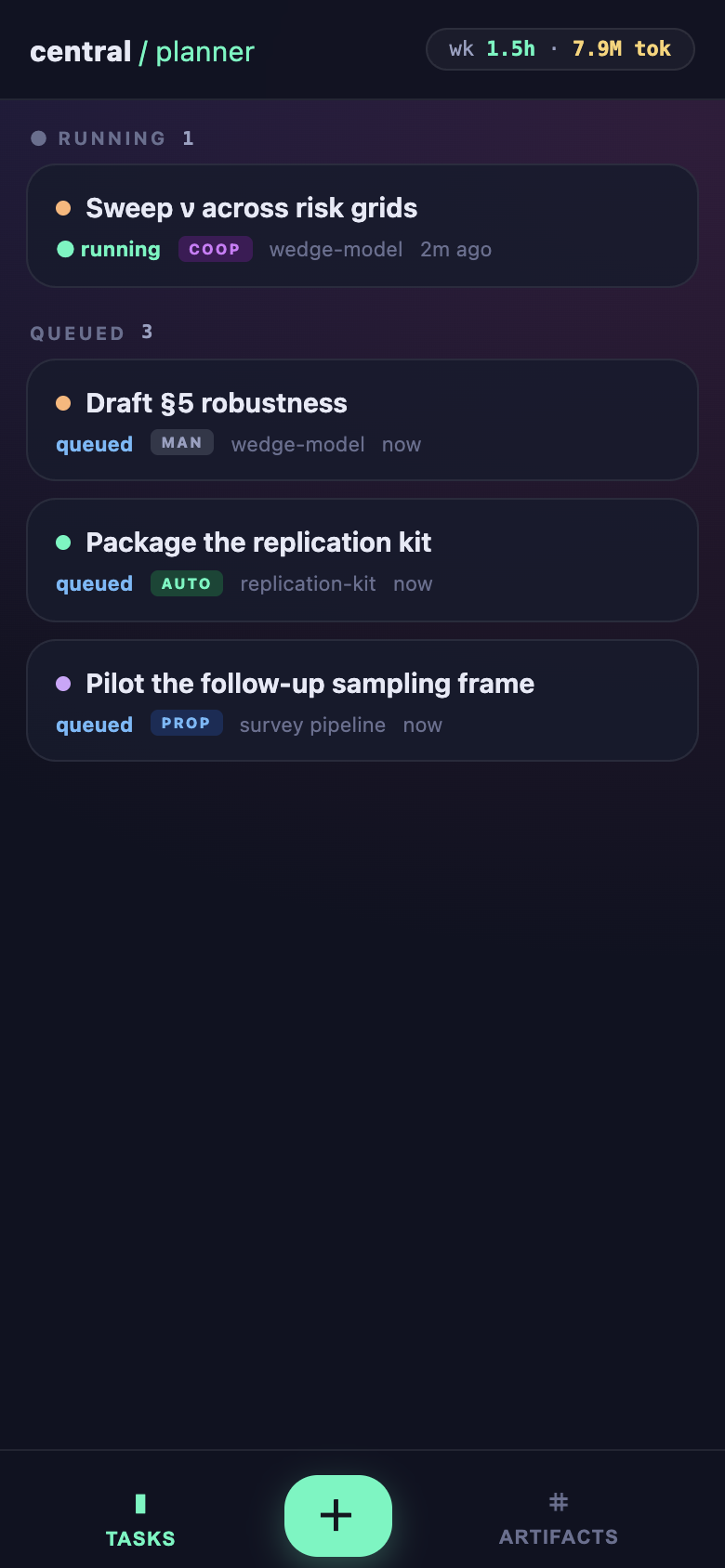
The one Node process also serves a PWA-installable phone view —
check what’s running, read a session, add a task from the hallway, browse artifacts.
For always-on use, run the server on a desk machine and reach it over a private
Tailscale network; the repo’s
REMOTE.md walks through it. It has no authentication by design —
keep it off the public internet.
Code pins are read on demand. Data pins (.csv, .parquet,
.dta, .xlsx…) inject a generated schema card — columns,
types, sample rows — never the contents. Folder pins inject a size-annotated tree.
▶ runs the open .jl / .py / .r / .sh
file with output streaming into a tab; .sql runs through DuckDB in place
over your parquet and CSVs; ▶ on a .tex compiles it into its own PDF tab.
New .html and .pdf files in a project surface automatically.
HTML pages are editable in place — WYSIWYG, scripts paused — and save back to disk
faithfully.
Projects with Julia code get a persistent
Kaimon session — packages and
state stay loaded across turns instead of respawning julia for every
iteration.
◆ Next up counts down the project’s next dated things. Connect Google Calendar by secret iCal URL — read-only forever, no OAuth — and file each meeting series to its project once.
The sidebar keeps a timeline of what just happened — edits with ±line counts, finished runs with durations, completed tasks. Every row goes somewhere: the diff, the output, the archived task.
If the dashboard can’t reach Claude — login expired, key gone bad — an amber card names the problem and one click runs the official CLI sign-in. ↻ Retry turn re-runs the turn that died.
Once a day it checks whether your checkout is behind its repo. Settings lists what’s new; ⬆ Update now fast-forwards only when that’s safe, and refuses if you have local edits.
git clone \
  https://github.com/grahamelewis/central-planner.git
cd central-planner && claude
> /setup   # Claude reads the docs and walks you
          # through install, config, and launch —
          # pausing for your OK at each step
cd app && npm install && cd ..
export ANTHROPIC_API_KEY=sk-ant-...
cp config.example.json config.json  # name + projects
cd app && npm start                 # → localhost:4242
Node ≥ 20 and access to Claude (an ANTHROPIC_API_KEY, or an
existing Claude Code login). LaTeX features want latexmk; the runner wants
whichever of julia / python / R you use.
Real, billed Claude calls. Task launches and messages spend your own credits, and there is no spend cap. The dashboard binds to localhost and ships no authentication — keep it there, and use a private network like Tailscale (never a public tunnel) if you want it on other devices.